Emesent Commander
3D Robotics Control & Point Cloud Viewer
Real‑time LiDAR visualisation and drone tasking on Android tablets.
Product
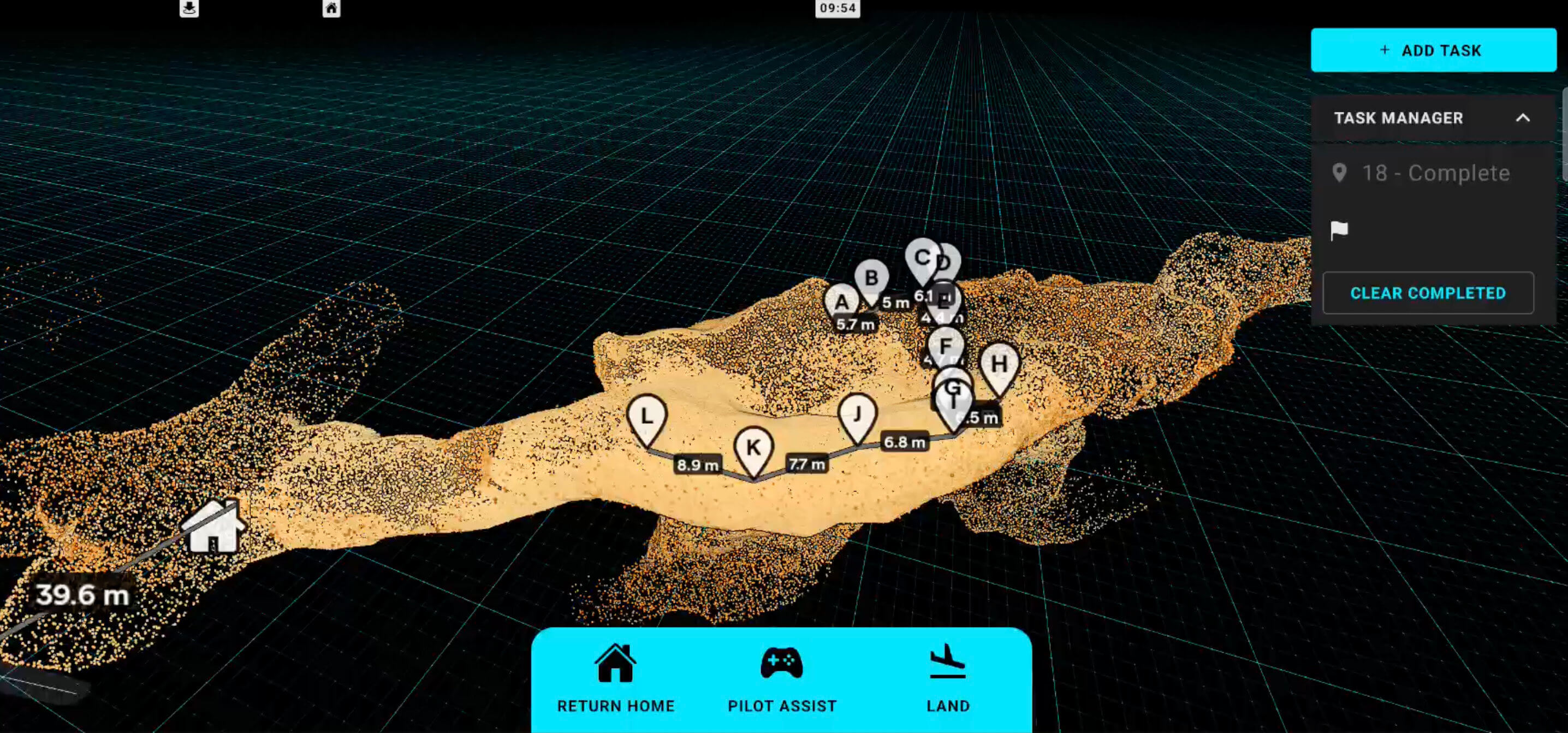
Emesent Commander is the mission planning and control app for Emesent's Hovermap LiDAR mapping payload, used on Android tablets to plan missions, control autonomous drones and visualise point clouds in real time.
Challenge
Operators needed to interact with massive point clouds and control autonomous drones using only a touchscreen, often in difficult field conditions. Navigation had to feel intuitive and responsive on mobile hardware, while still exposing precise tools such as measurement, clipping and multiple camera modes. At the same time, the existing input handling and controls were complex, making it easy to introduce bugs when adding new functionality.
Solution
Work has focused on designing and implementing 3D interaction tools in Babylon.js for Commander's point cloud view, along with refactoring the input architecture to be more robust and testable. The main visible features include:
Measurement tool
Tap‑to‑measure distances between points in the point cloud, with labels that can be repositioned by tapping and then tapping on a new location, or removed from the UI when no longer needed.
Most of the measurement tool's interaction behaviour and UI was designed as well as implemented to create a useful and intuitive experience aligned with common industry patterns.
Double‑tap zoom navigation
Double‑tapping on the point cloud moves and centres the camera on the tapped location, making it much easier to navigate large scenes such as mines or city‑scale scans compared to manual pinch‑zooming alone.
This interaction turns the cloud itself into a navigation surface: operators can quickly "hop" around the environment with double taps instead of wrestling with 3D controls.
Camera clipping plane
A dynamic clipping plane is positioned directly in front of the camera to hide points in front of it, allowing operators to "slice" into dense clouds and inspect interior areas.
Because Babylon.js clip planes are mathematical planes rather than meshes, a linear‑algebra calculation keeps the plane aligned with the camera, while a UI slider adjusts its distance by updating the clip plane parameters every frame.
Point size attenuation
Point size attenuation was redesigned in GLSL so points now show clear foreground/background size differences in perspective view, giving clouds a stronger sense of depth.
For orthographic view, the shader adjusts point sizes based on camera zoom so points can either maintain a constant screen size or scale with zoom, and additional code keeps perceived point sizes consistent when switching between orthographic and perspective cameras.
Camera Controls and touch input architecture
Perspective camera controls were rebuilt around direct user input states, so tertiary behaviours like double‑tap zoom are driven from touch input rather than low‑level 3D events. This fixed issues such as zoom‑to‑selection not triggering reliably, sensitivity settings not working as expected, users getting stuck in double‑tap zoom, and difficulty detaching the camera from following the robot.
Orthographic camera controls were also rewritten. The previous implementation relied on Babylon.js's default ArcRotateCamera orthographic behaviour, which felt laggy on touch devices; the new controls are tuned to feel similar to modern mobile apps like Google Maps or photo viewers, with snappier panning and zoom that match user expectations on a tablet.
Under‑the‑hood improvements
Tests were added around control logic and point‑cloud interaction behaviours to reduce regressions when shipping new features.
Shared base classes and subclasses were introduced for input controllers and tools, making it easier to extend functionality without duplicating code.
Overall, the refactored control system has made Commander's 3D view more predictable, robust and responsive in the field, while enabling new tools to be added with less risk.
Impact
Since these changes were rolled out, internal feedback has highlighted that Commander is easier to use than previous versions, particularly when working with large point clouds on tablets. External users have specifically complimented the new measurement tools and expressed excitement about how they make on‑site analysis faster and more intuitive.
Tech stack: Babylon.js, TypeScript, GLSL shaders, Android (tablet), LiDAR point cloud data.